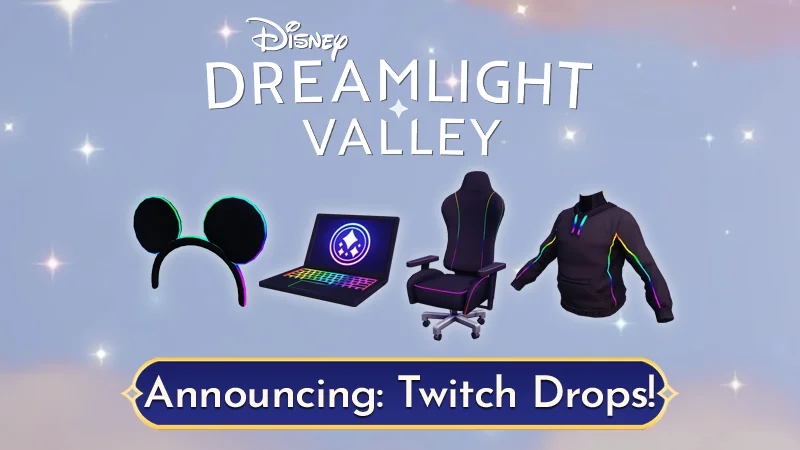
How To Get Free Twitch Drop Items In Dreamlight Valley. The gaming community has long been a part of Twitch Drops, and it now appears that Disney Dreamlight Valley. Will also be taking part. It's a fantastic way for community creators to advertise their work and the games they enjoy streaming. As well as a special way to cater to fans and offer them free, premium rewards.
To commemorate the eagerly anticipated Pride of the Valley update, Disney Dreamlight Valley will run its own Twitch Drop campaign. Players can follow the instructions in this article to take part in the Twitch Drop promotion and get the free Disney Dreamlight Valley items.
Table of Contents
How To Get Free Twitch Drop Items In Dreamlight Valley
To get free Twitch drop items in Dreamlight Valley, you need to follow these steps:
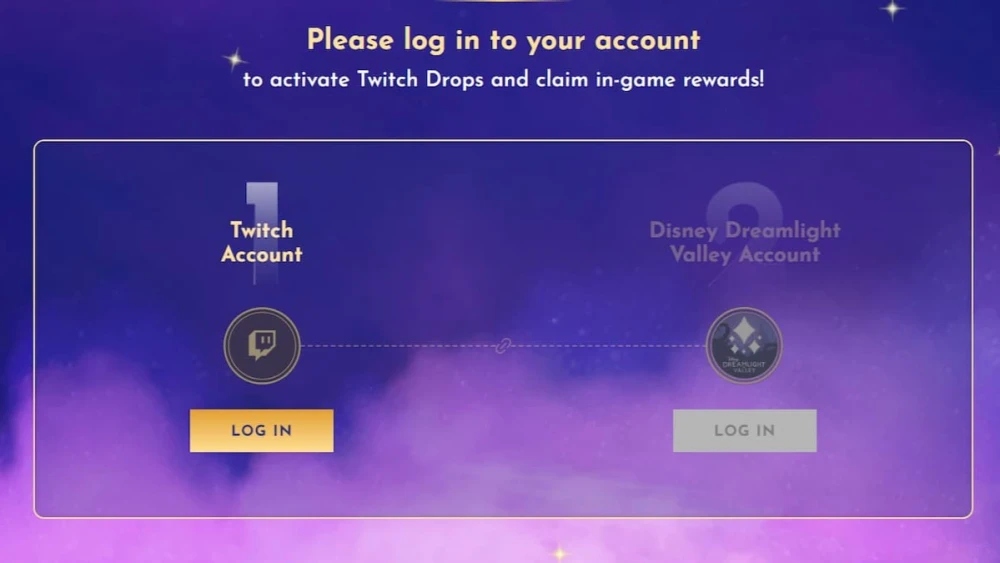
- Create a Twitch account: If you do not have a Twitch account. Create one by visiting the Twitch website and signing up.
- Link your Twitch account to Dreamlight Valley: Once you have a Twitch account. Visit the Dreamlight Valley website and link your Twitch account to your Dreamlight Valley account.
- Watch Dreamlight Valley streams: Check the Dreamlight Valley Twitch channel or streams of partnered streamers that are running a promotion with Dreamlight Valley for the specific Twitch Drop campaign. Tune in to watch the stream(s) that are offering the Twitch Drop promotion. You can find the schedule for these streams on the Dreamlight Valley website or Twitch page.
- Claim the Twitch Drops: While watching the Dreamlight Valley streams. The Twitch Drops will automatically added to your account after meeting the requirements. You can check your Twitch Drops inventory on the Dreamlight Valley website.
Note: Make sure that you have your Twitch account linked to your Dreamlight Valley account and that you have followed all the required steps to be eligible for the Twitch Drops. Twitch Drops usually have a limited time frame. So make sure to tune in during the promotion period to claim them.
Learn More: How To Hack Pokemon Go Android 2023
Instructions For The Disney Dreamlight Valley Twitch Drop Campaign
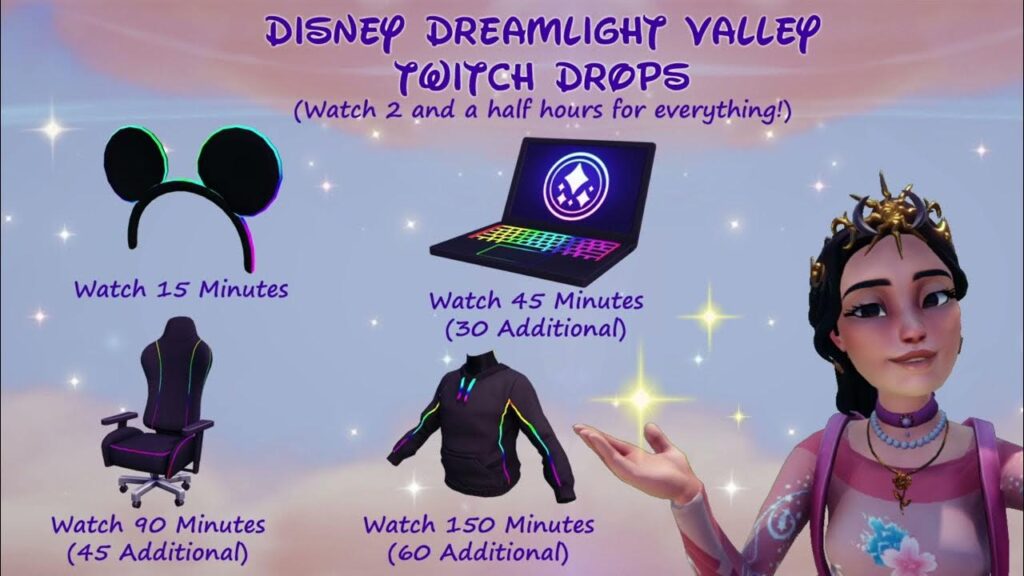
Players will have access to a ton of new content and unlock a ton of new items when the Pride of the Valley Disney Dreamlight Valley update released on April 5. But that's not all. In addition to the new update. Gamers can participate in a Twitch Drop campaign from April 5 until April 12 to unlock four new items.
Players must connect their Twitch account to their Disney Dreamlight Valley account on the Twitch Drops page of the official DDV website in order to receive the Disney Dreamlight Valley Twitch Drop items. After that, they have to view streams from one of the following media producers:
Players don't have to watch just one eligible streamer; they can watch any number of them. And their progress will still accrue. Depending on how long a player has watched the streams, they will receive the following reward:
How To Send Items From Twitch Drop To Disney Dreamlight Valley
Items that have unlocked by players will show up in their Twitch Drops inventory and need to claimed there. After that, in order to receive it, the player must go to Disney Dreamlight Valley and interact with their mailbox next to their house.
FAQ
How To Get Free Twitch Drop Items In Dreamlight Valley?
To get free Twitch drop items in Dreamlight Valley, you need to follow these steps:
- Create a Twitch account: If you do not have a Twitch account. Create one by visiting the Twitch website and signing up.
- Link your Twitch account to Dreamlight Valley: Once you have a Twitch account. Visit the Dreamlight Valley website and link your Twitch account to your Dreamlight Valley account.
- Watch Dreamlight Valley streams: Check the Dreamlight Valley Twitch channel or streams of partnered streamers that are running a promotion with Dreamlight Valley for the specific Twitch Drop campaign. Tune in to watch the stream(s) that are offering the Twitch Drop promotion. You can find the schedule for these streams on the Dreamlight Valley website or Twitch page.
- Claim the Twitch Drops: While watching the Dreamlight Valley streams. The Twitch Drops will automatically added to your account after meeting the requirements. You can check your Twitch Drops inventory on the Dreamlight Valley website.